Serverless Url Shortener apiGW Lambda dynamoDb
Build and deploy serverless short url project with apiGW, Lambda, and dynamoDb from scratch

Architecture
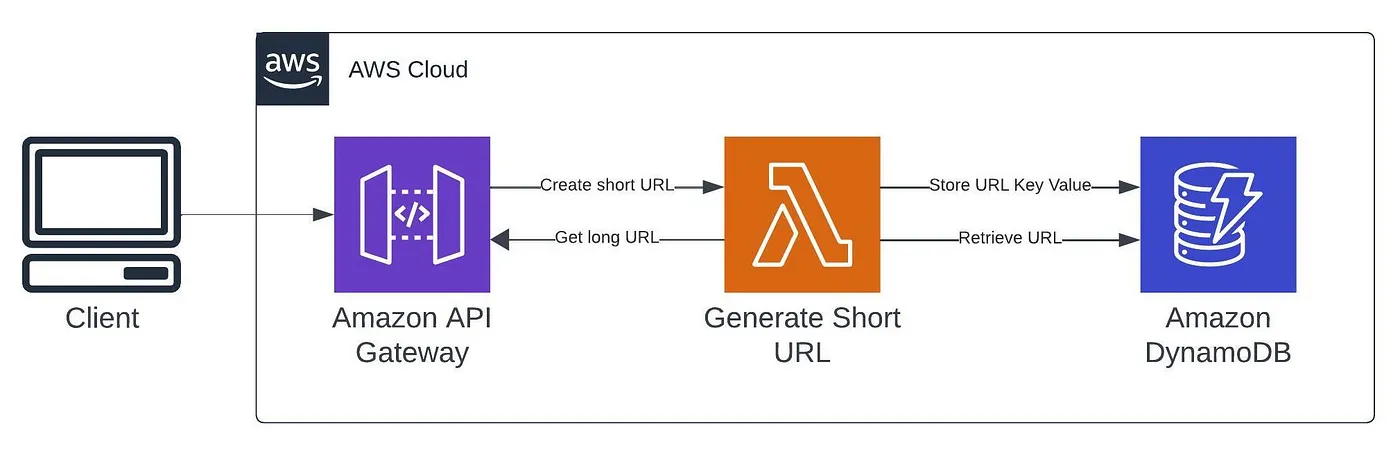
Introduction
Prerequisites
Step 1: Create a Lambda Function:
import json
import boto3
import string
import random

dynamodb = boto3.resource('dynamodb')
table_name = 'url-shortener-table'
table = dynamodb.Table(table_name)

def lambda_handler(event, context):
    print(event)

    http_method = event['requestContext']['http']['method']

    if http_method == 'POST':
        body = json.loads(event['body'])
        long_url = body['long_url']
        short_url = generate_short_url()
        table.put_item(Item={'short_id': short_url, 'long_url': long_url})

        response = {
            'statusCode': 200,
            'body': json.dumps({'short_url': short_url})
        }
    elif http_method == 'GET':
        short_url = event['rawPath'][1:]
        response = table.get_item(Key={'short_id': short_url})
        if 'Item' in response:
            long_url = response['Item']['long_url']
            response = {
                'statusCode': 301,
                'headers': {
                    'Location': long_url
                }
            }
        else:
            response = {
                'statusCode': 404,
                'body': json.dumps({'error': 'Short URL not found'})
            }
    return response

def generate_short_url():
    characters = string.ascii_letters + string.digits
    short_url = ''.join(random.choice(characters) for _ in range(3))
    return short_url
NOTE : Replace table_name with your dynamoDb table name once we create it later in this steps . and partitionKey should be short_id
Step 2: Set Up DynamoDB Table:
url-shortener-table with short_id as the partition key and long_url as an attribute.Step 3: Create an API Gateway:
Lets create api first and later we can do configuration
Open the API Gateway console.
Click on "Create API" and select "HTTP API". Review and create api
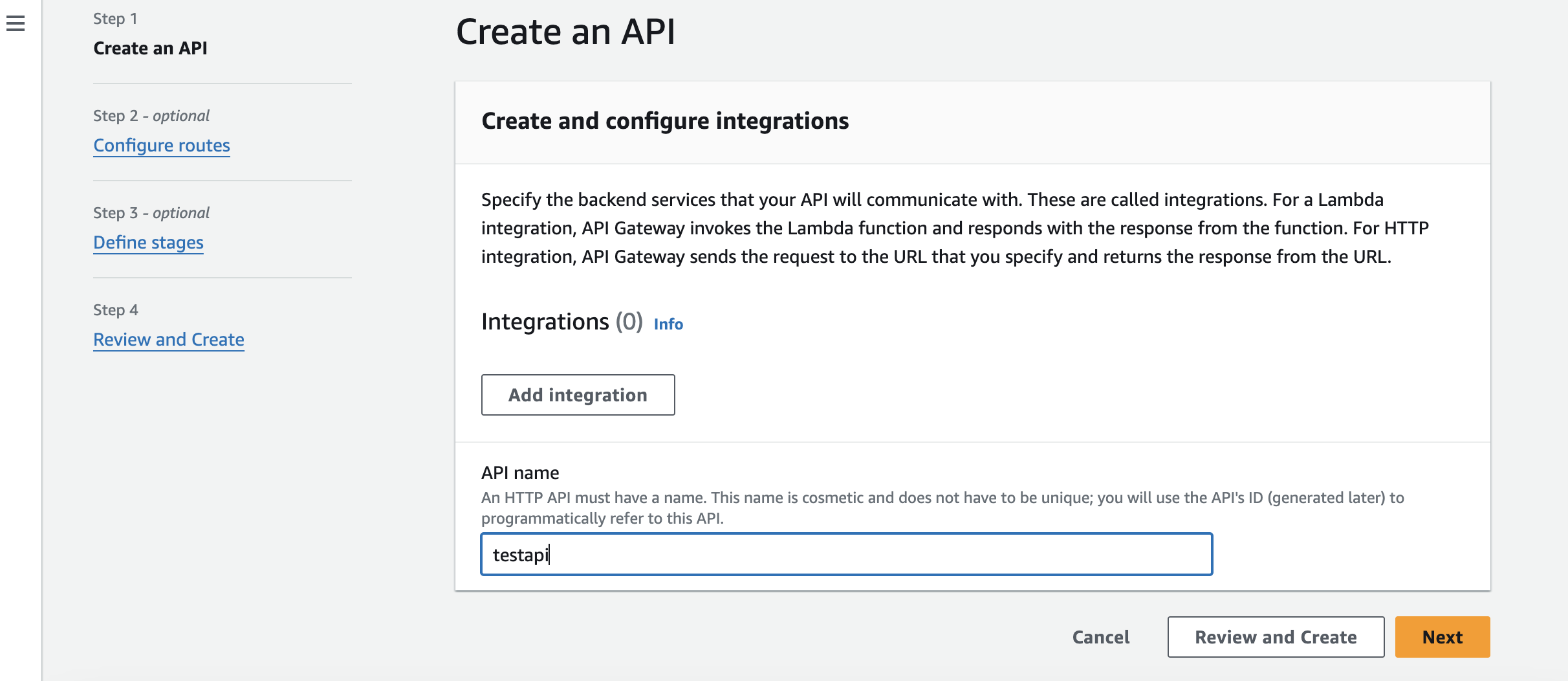
Once we created API Define routes for POST and GET requests.
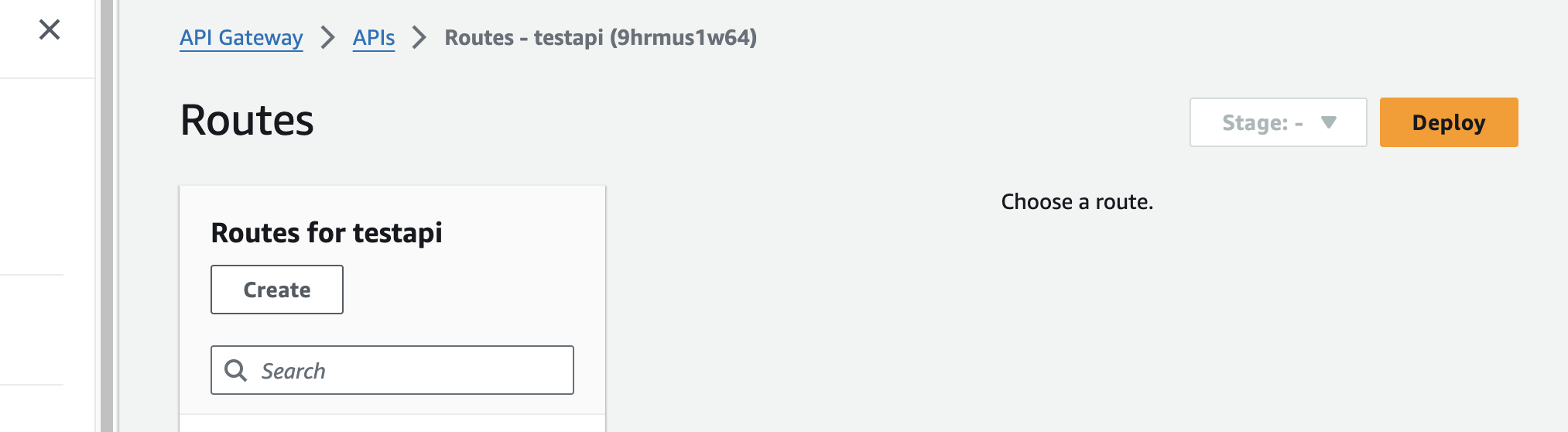
Select
createand keep route empty and methodPOSTthen selectcreateref following image
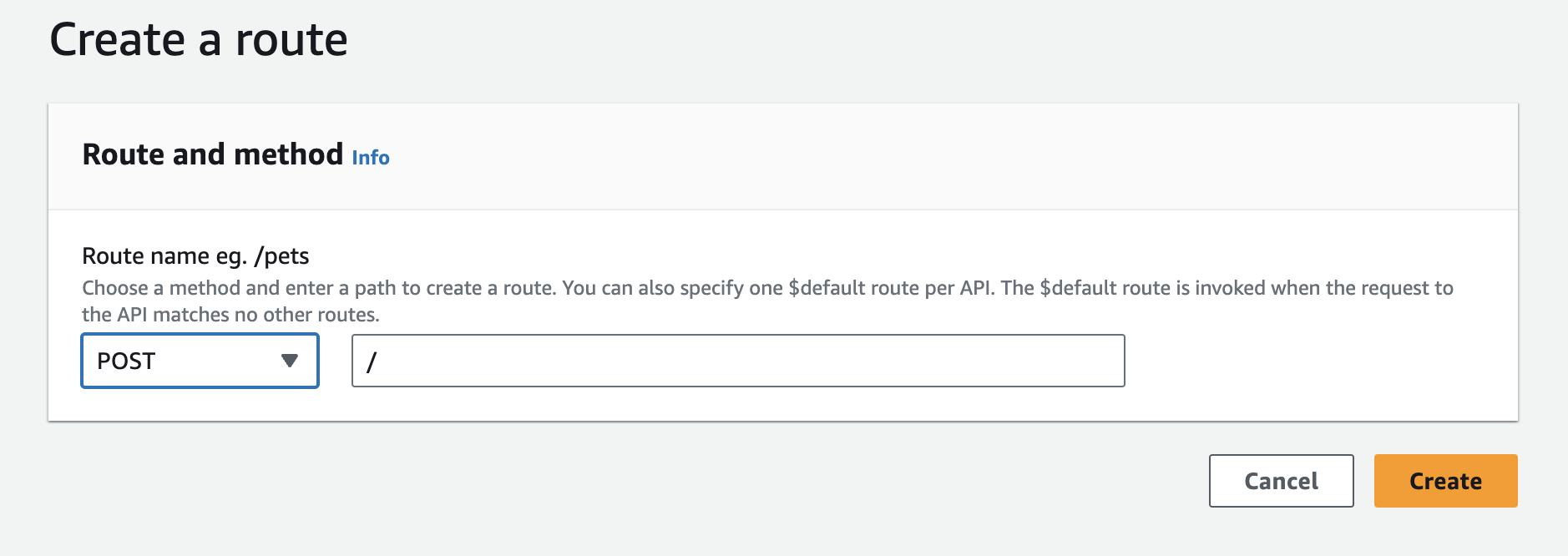
once created select
POSTlike this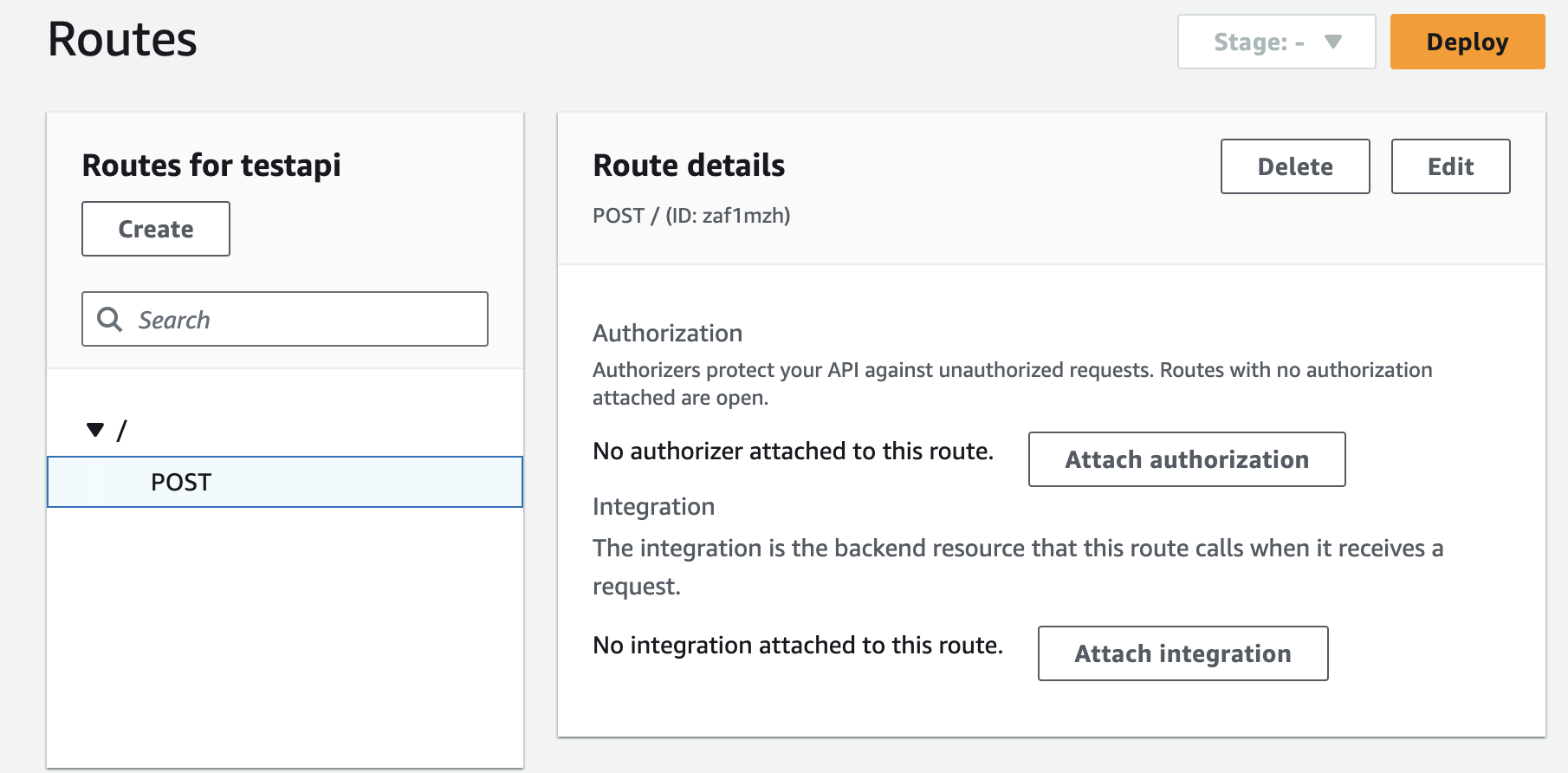
click on attach integration and go ahead with option
create and attach integrationNext select integration type as lambda function and then select lambda function created earlier for this task
Make sure this option is enabled and go ahead with create option
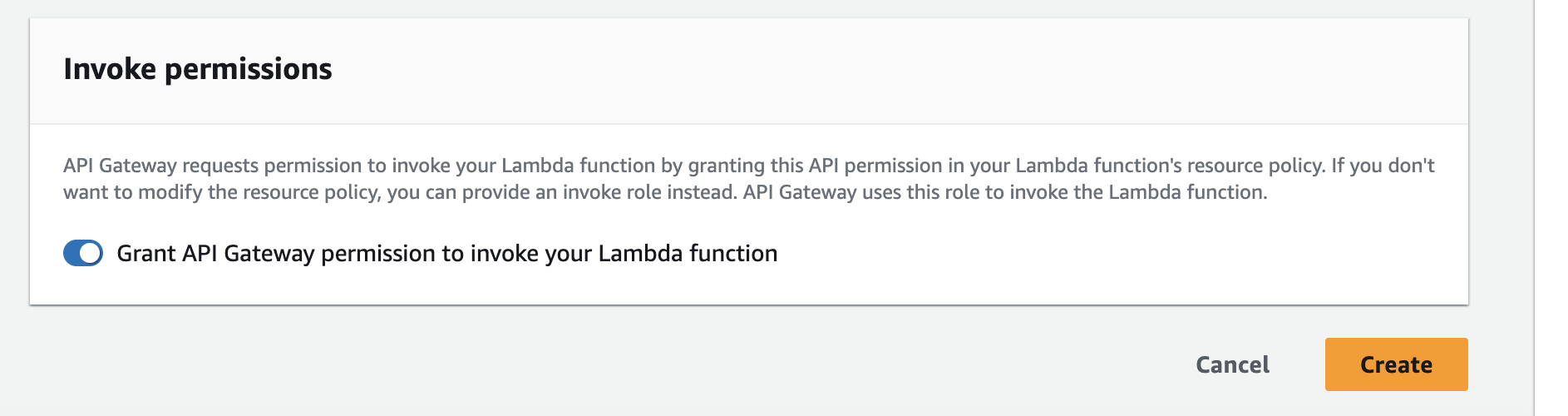
Cool we just created our first route , lets go and create second route which is
GETfor redirecting shorturl we got in previous response
Lets create second route , now go back to Routes and select
create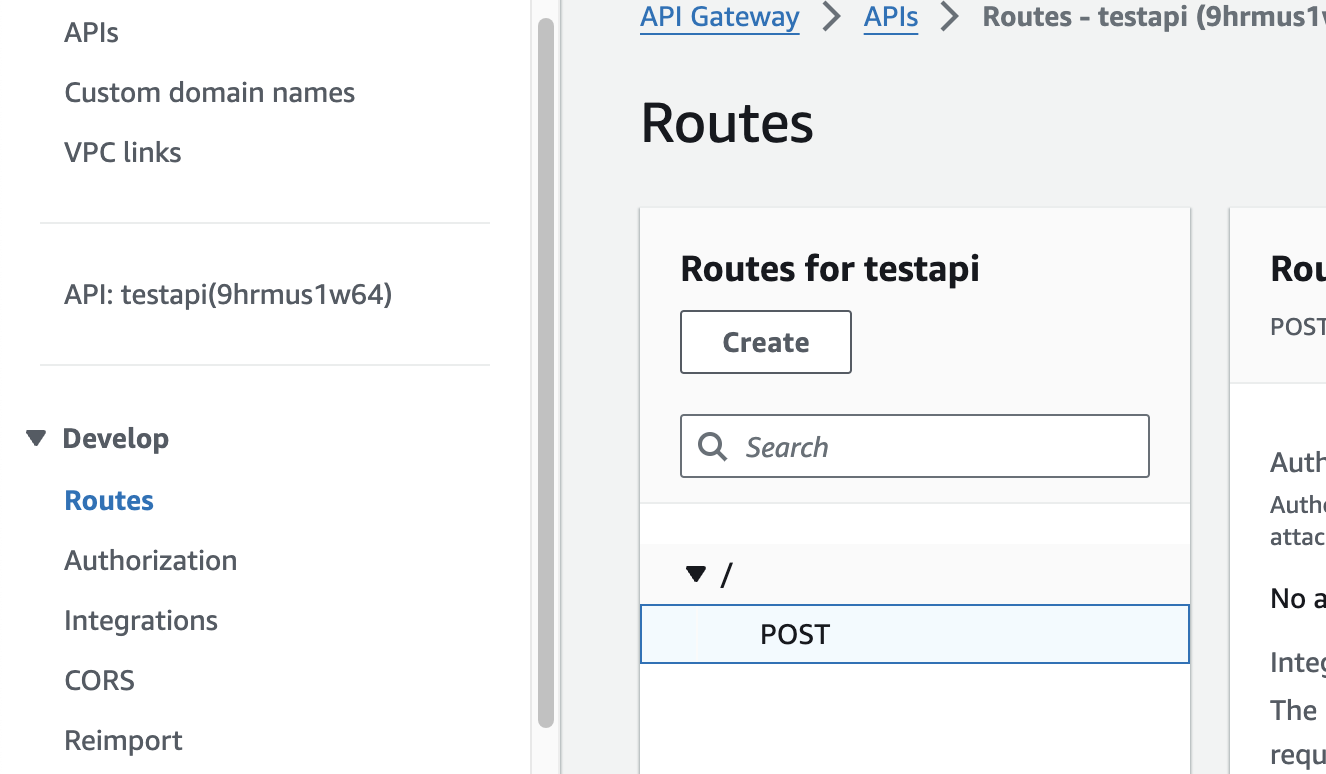
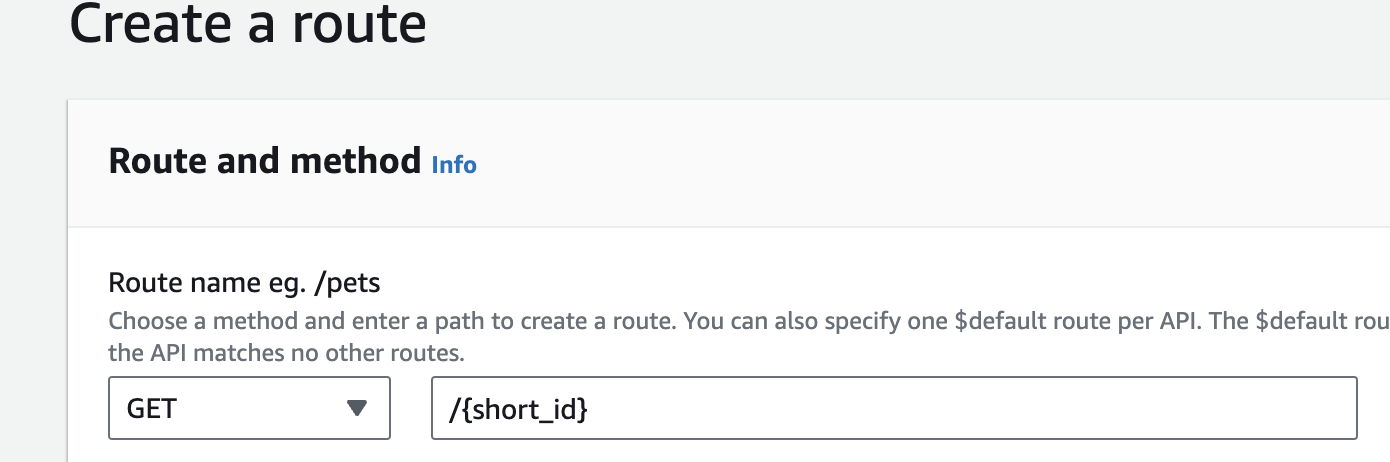
Make sure its
/{short_id}Now select GET Method attach integration and click on attach just right side option
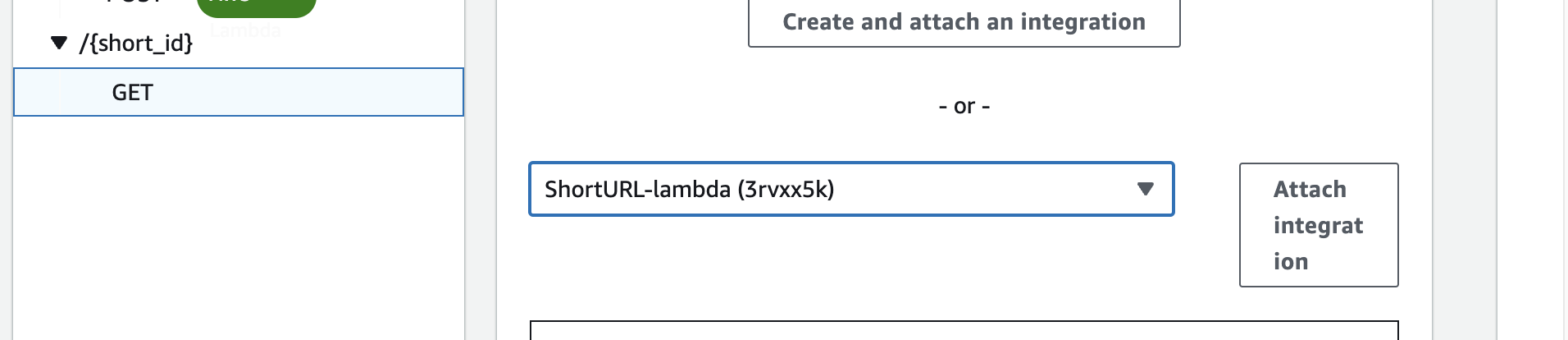
From this option you can get your APIGW url to make request

These are the curls to test Replace url with actual url
Create Short Url : POST
curl --location 'https://4tr7c6bru76e.execute-api.us-east-1.amazonaws.com' \
--header 'Content-Type: application/json' \
--data '{"long_url": "https://cloudcdk.com"}'
Access Short Url : GET
curl --location 'https://4tr7c6bru76e.execute-api.us-east-1.amazonaws.com/{Replace_with_id_u_get_in_response_for_above_post_request}'
Follow me on Twitter for more : Twitter
About the author
Devops | 3x AWS Certified | CKA
Comments
Join the discussionNo comments yet. Be the first to comment.


